TL;DR: Syncfusion Essential Studio 2026 Volume 2 marks one of our biggest releases yet, featuring AI-powered developer tools, dedicated SDK packages, new UI controls, and major performance improvements across web, desktop, mobile, and document-processing platforms. Whether you’re building intelligent applications, enterprise dashboards, or document automation solutions, this release gives you everything you need to build smarter, faster, and with greater confidence.
Syncfusion Essential Studio 2026 Volume 2 is now available, bringing new controls, AI-powered enhancements, performance upgrades, and productivity improvements across web, mobile, desktop, and document processing platforms.
This release arrives at a time when developers are expected to build smarter applications, automate more document workflows, support multiple platforms, and still deliver fast, polished user experiences. Essential Studio 2026 Volume 2 is designed to help with exactly that: giving teams practical tools that reduce repetitive work and make modern application development easier.
From AI-assisted user experiences and smarter document processing to front-end framework improvements and performance-focused updates, this release helps you build powerful applications with more speed and flexibility.
Here is a closer look at what is new in this release.
Release highlights
Essential Studio 2026 Volume 2 focuses on helping developers build faster, smarter, and more capable applications across web, mobile, desktop, and document processing scenarios.
- New .NET Markdown Library in preview
- New Inline AI Assist component for Blazor
- AI-powered Agent Tools for Document SDK
- Expanded Pure React Components ecosystem
- Production-ready Sankey Diagram
- Major Blazor productivity enhancements
- AI-powered Spreadsheet editing
- Significant PDF Viewer performance improvements
New dedicated SDK packages
This release also introduces a new generation of dedicated Syncfusion SDK packages. These focused offerings give teams more flexibility to choose the capabilities they need, such as Grid SDK, Chart SDK, Scheduler SDK, Gantt SDK, File Manager SDK, Rich Text Editor SDK, and Diagram SDK, instead of purchasing a larger component suite when a focused SDK is a better fit.
Explore our dedicated SDK announcement blog to learn more about choosing the right SDK for your development needs.
New controls
Essential Studio 2026 Volume 2 introduces new controls built for emerging development scenarios, including AI-assisted applications, intelligent content generation, and automated document processing.
.NET Markdown Library (Preview)
The new .NET Markdown Library allows developers to create, edit, and convert Markdown documents programmatically without relying on external dependencies.
With this library, you can:
- Create Markdown documents using a structured DOM, making content generation easier to manage in code.
- Add headings, lists, tables, checkboxes, images, and hyperlinks for dynamic content creation systems.
- Apply formatting such as bold, italic, strikethrough, superscript, and subscript.
- Insert code blocks and formatted content for technical documentation and automated publishing workflows.
The library also includes document conversion capabilities, including:
- Markdown to Word for editable document outputs.
- Markdown to Excel for converting structured content into spreadsheet-based documents.
- Markdown to PowerPoint for generating presentation-ready content.
- Markdown to PDF for creating final, shareable document outputs.
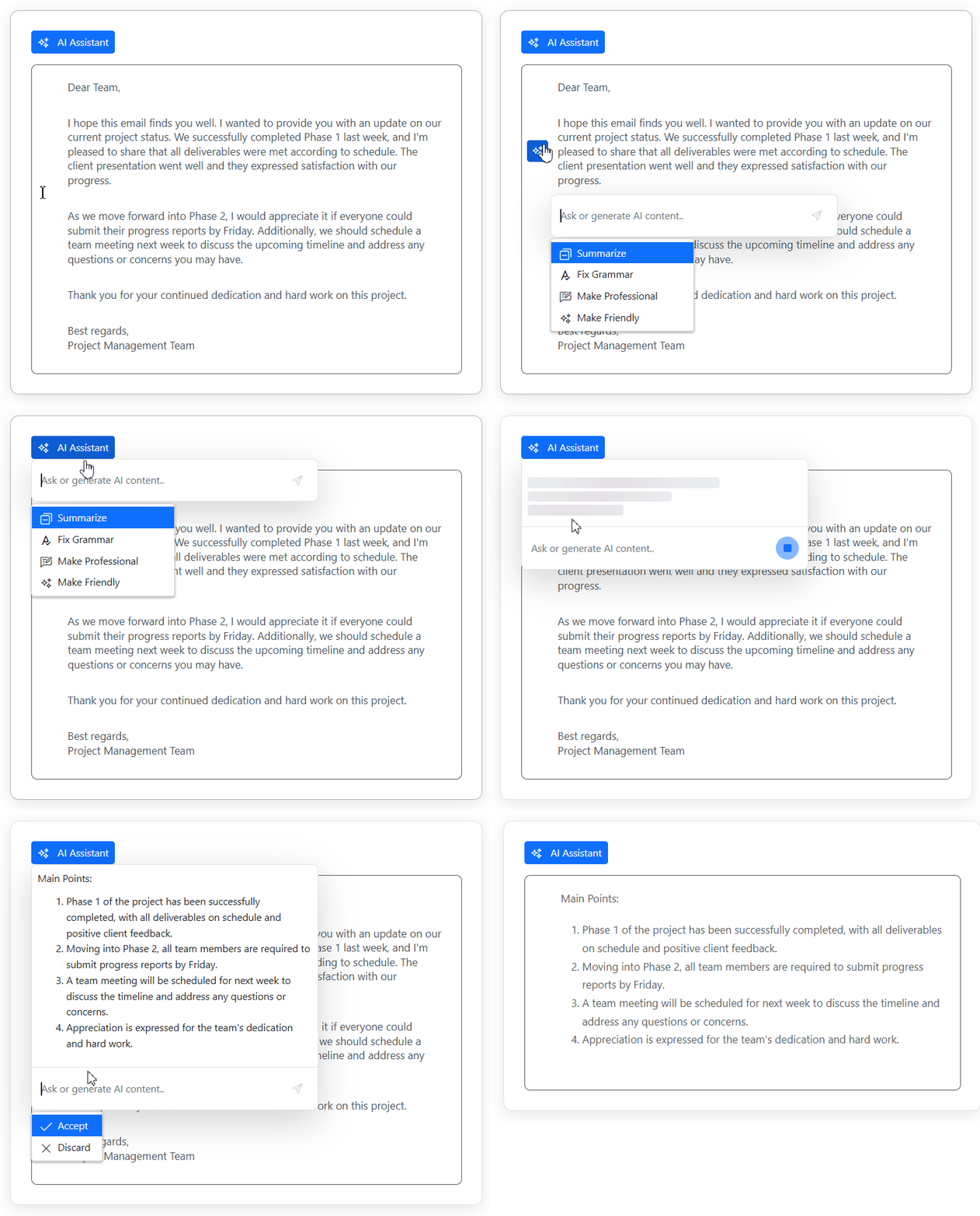
Inline AI Assist for Blazor
The new Inline AI Assist for Blazor helps you bring AI-powered interactions directly into your application experience, without forcing users into a separate chat interface.
Key capabilities include:
- Inline and pop-up AI interaction modes for flexible placement across application layouts.
- Streaming AI responses for more natural, real-time AI experiences.
- Prompt-based intelligent interactions for contextual AI-powered workflows.
- AI-assisted content generation for writing assistants, copilots, and productivity tools.
This makes it easier to build AI-native applications where assistance appears naturally within the user workflow.
Markdown Viewer for WinUI
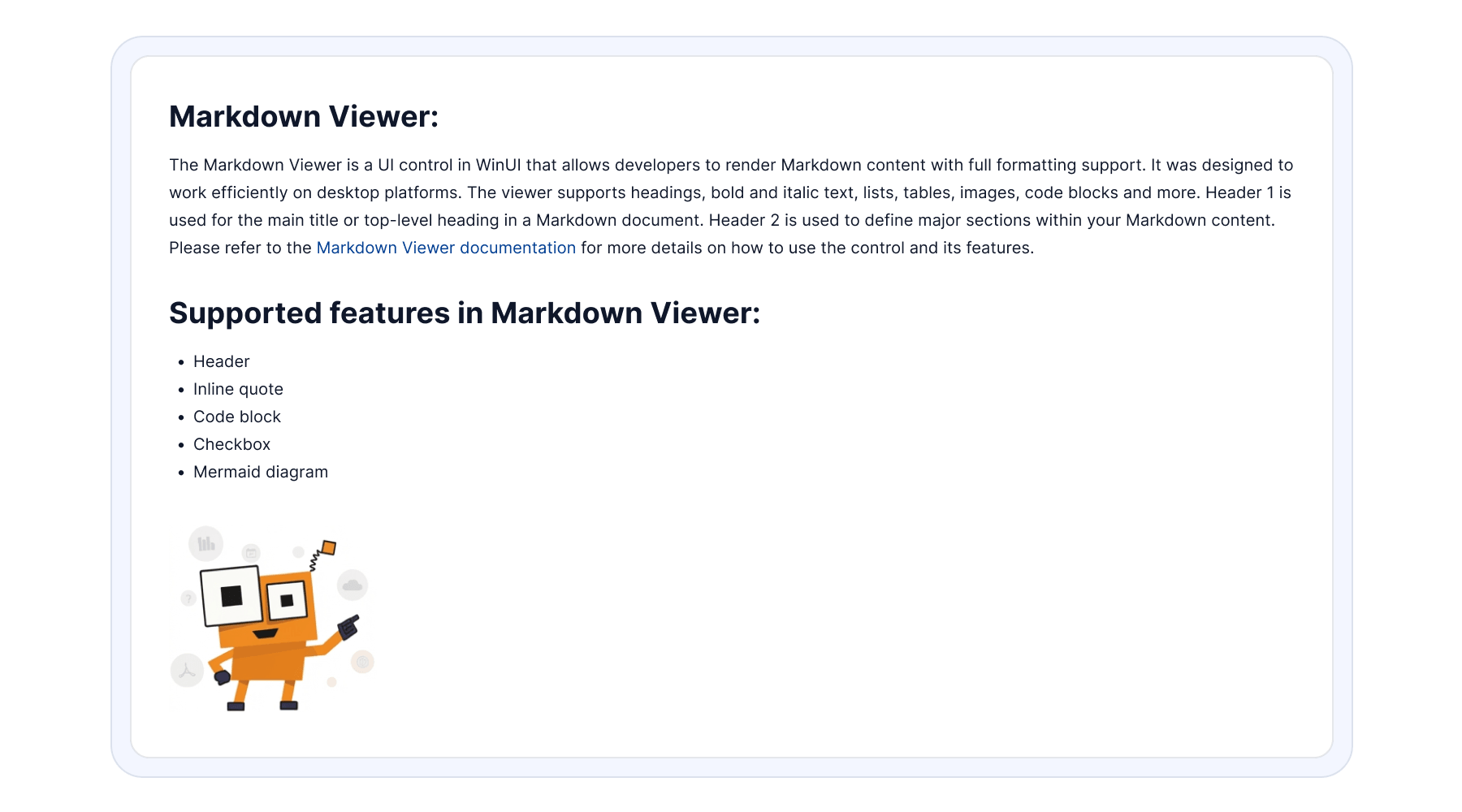
The new Markdown Viewer control for WinUI makes it easier to render rich Markdown content directly inside desktop applications, without external rendering libraries or manual formatting.
Key features include:
- Rich Markdown rendering for headings, lists, links, images, tables, code blocks, and other content elements.
- Support for loading Markdown content from strings, files, or URLs.
- Hyperlink navigation and content customization options for documentation, help systems, and content-driven desktop applications.
Feature enhancements across platforms
Along with new controls, this release brings meaningful improvements across multiple platforms and development frameworks.
Web
For React, JavaScript, Angular, Vue, ASP.NET Core, and ASP.NET MVC, this release delivers richer interactions, better customization, and improved performance for modern front-end applications.
Better theming architecture
Theme management is easier to maintain in large front-end applications with the latest theming architecture improvements. Updates include:
- Modular theme architecture for simpler long-term styling maintenance.
- Centralized theme packages for improved consistency across projects.
- Dedicated index.css and index.scss entry points for cleaner stylesheet management.
- Sass 1.100.0 upgrade for better compatibility and modern styling support.
These updates help teams manage design systems more cleanly at scale.
Expanded Pure React Components ecosystem
The Pure React Components ecosystem continues to expand, giving React developers more framework-native components and greater flexibility.
New additions include:
- Menu component for advanced navigation and contextual menus.
- Switch component for modern toggle-based interactions.
Several Pure React components are now production-ready, including:
Additional support now includes Tailwind CSS integration and Bootstrap support, helping teams work faster with popular styling approaches.
More web component improvements
Blazor
This release includes major Blazor enhancements that help you build smarter AI-powered applications, improve developer productivity, and deliver richer enterprise experiences.
- AI AssistView: Adds speech-to-text support, response regeneration with navigation controls, and text-to-speech support, making AI-powered chat experiences more interactive and accessible.
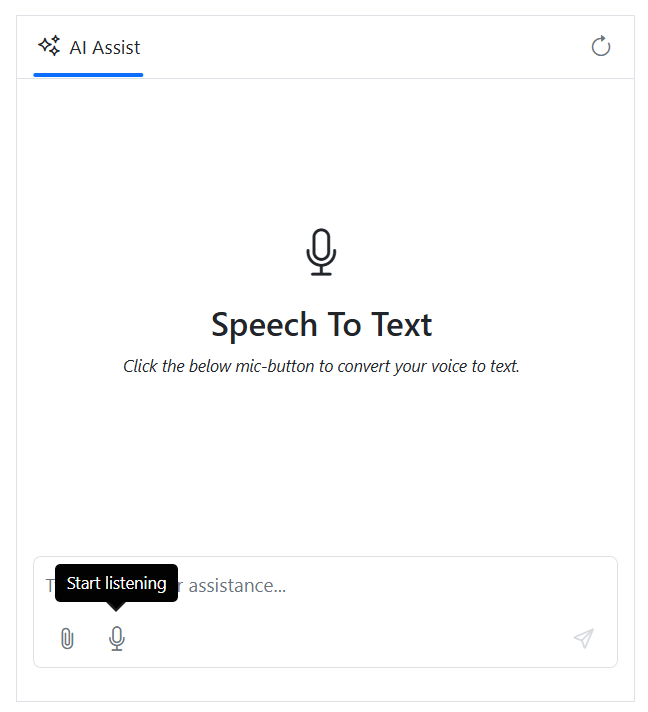
Speech-to-text conversion in Blazor AI AssistView - DataGrid: Introduces single-click batch editing for faster data entry and an adaptive filter bar that adjusts based on text, numeric, date, and Boolean column types.
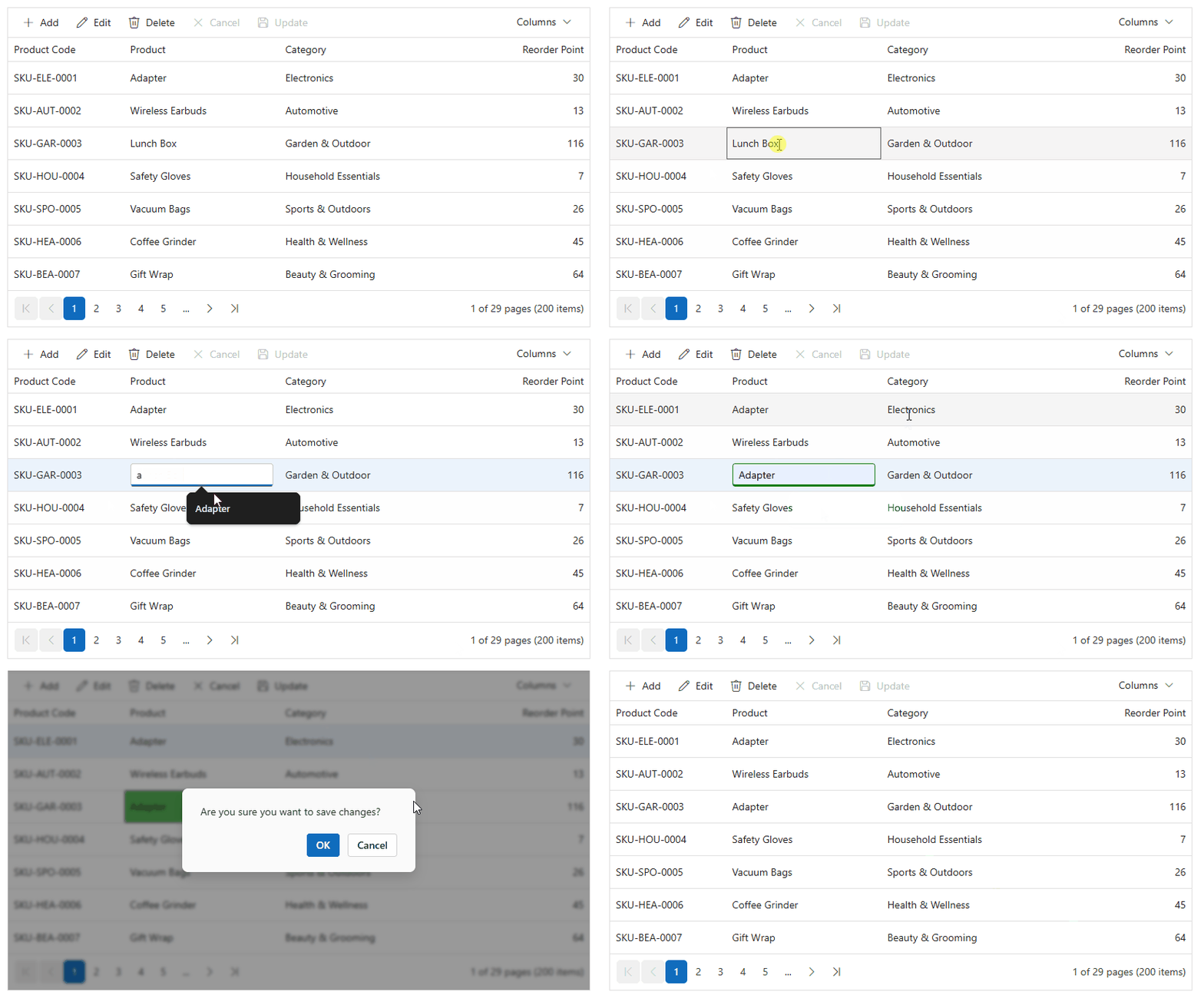
Single-click batch editing in Blazor DataGrid - Diagram: Adds support for UML class diagrams, annotation interactions such as dragging, resizing, and rotation, and hyperlink support for advanced visual modeling applications.
- Rich Text Editor: Adds image wrap support directly from the quick toolbar and chunk message handling for efficiently processing large HTML content.
Together, these updates help teams build richer Blazor applications with less effort.
.NET MAUI
The .NET MAUI updates in this release help developers build richer cross-platform applications across mobile and desktop environments.
- AI AssistView: Adds agent switching, multi-line input, image previews, and time-based conversation grouping for Copilot-style experiences inside your applications.
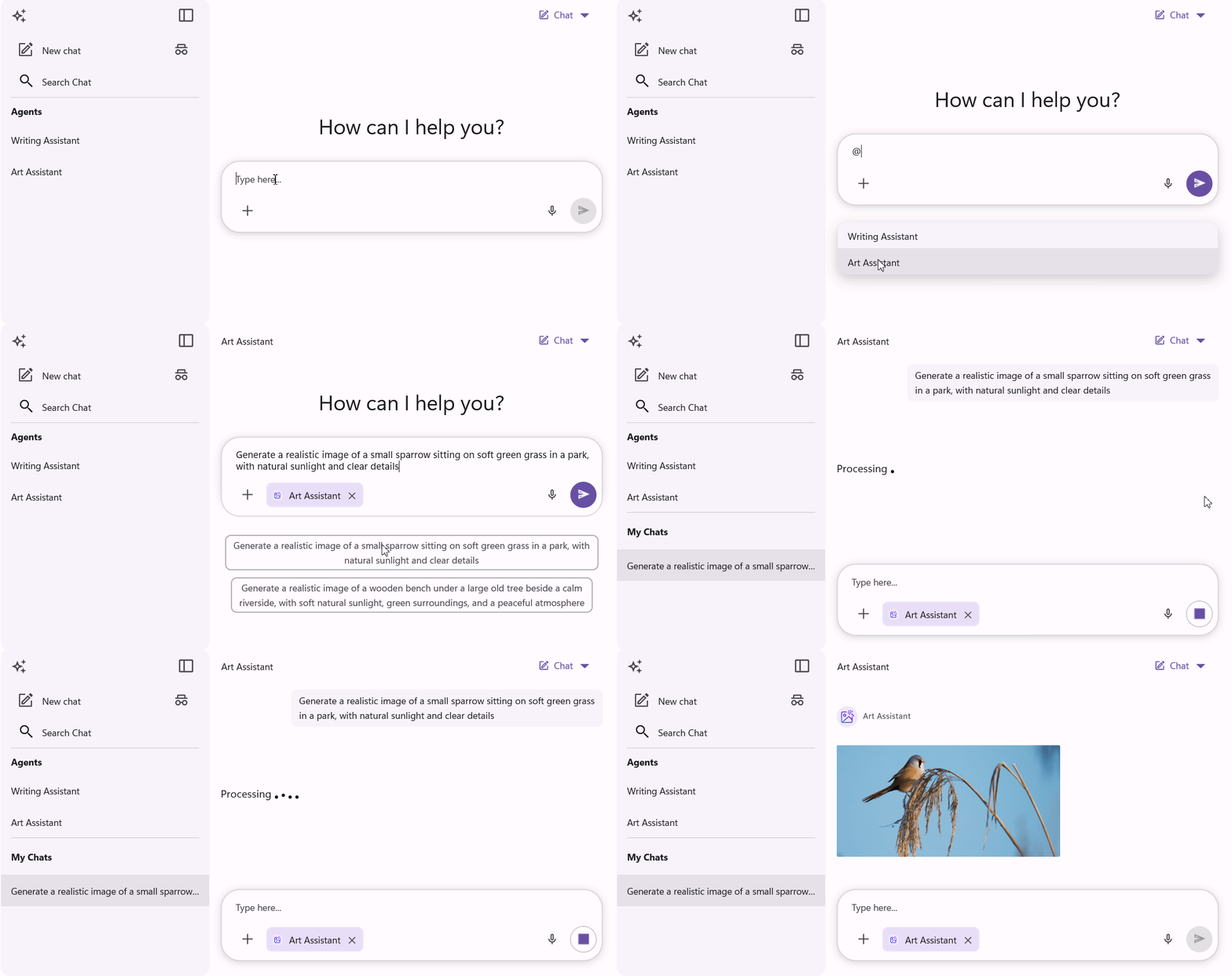
.NET MAUI AI AssistView with agent picker support - Charts: Adds per-point color mapping and real-time updates through property change listening, giving you more control over analytics and visualization scenarios.
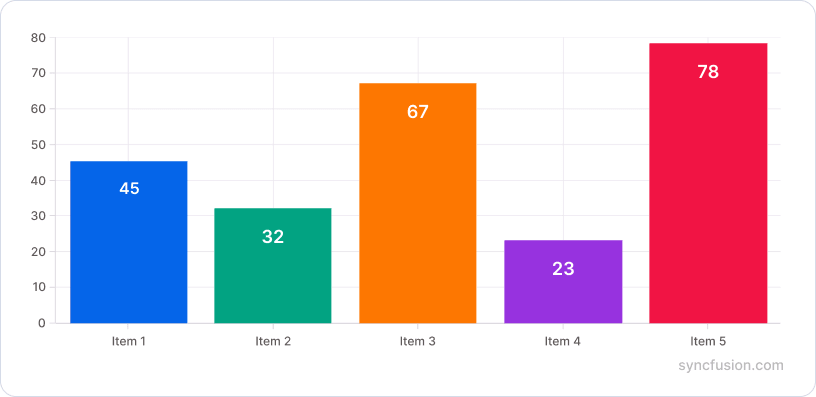
Per-point color mapping in .NET MAUI Charts - DataGrid: Adds undo and redo support, multi-row drag-and-drop, row resizing, and built-in search UI to improve enterprise data management and large dataset handling.
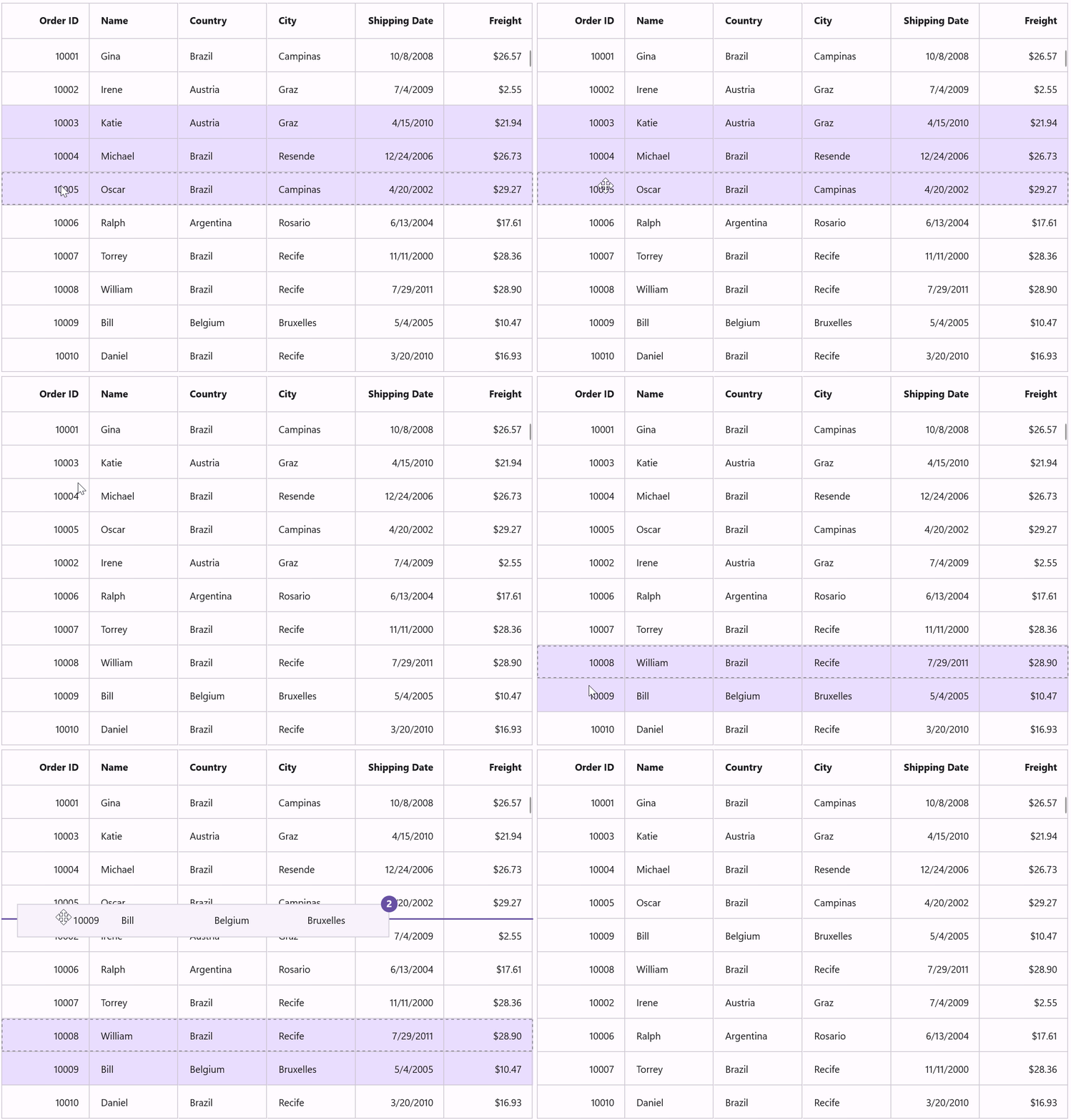
Multi-row drag-and-drop feature in .NET MAUI DataGrid - Scheduler and Rich Text Editor: Adds improvements for scheduling, event management, calendar interactions, rich content editing, formatting, and customization.
These improvements help you deliver better experiences across devices while keeping cross-platform development efficient.
Document SDK
The Document SDK introduces AI-powered capabilities, security updates, performance improvements, and content transformation features across PDF, Word, Excel, and PowerPoint. These updates help developers build smarter document automation solutions with less complexity.
New improvements include:
PDF Viewer SDK
The PDF Viewer SDK introduces usability and performance improvements across Web, Blazor, and .NET MAUI, helping you build faster and more interactive document viewing experiences.
New improvements include:
DOCX Editor SDK
The DOCX Editor SDK introduces formatting and security enhancements across Web and Blazor, making document editing more flexible while improving document protection.
New improvements include:
- Web DOCX Editor: Supports bidirectional RTL and LTR character formatting, helping you build better multilingual document editing experiences.
- Security enhancements: Support algorithm SIDs, including SHA-1 and SHA-256, for stronger hash computation, improved password validation, and better document protection across Web and Blazor DOCX editors.
Spreadsheet Editor SDK
The Spreadsheet Editor SDK introduces AI-powered editing capabilities and performance improvements across Web and Blazor, helping you build faster and more intelligent spreadsheet-based applications.
New improvements include:
WPF improvements
This release includes WPF enhancements for better UI flexibility, improved multitasking, and smoother user experiences.
WinForms improvements
WinForms receives important AI-powered and performance enhancements focused on smarter interactions and better responsiveness.
Build smarter with Essential Studio 2026 Volume 2
Modern software development continues to grow more demanding. Teams are building AI-powered experiences, automating document workflows, supporting responsive web and cross-platform applications, and balancing performance, scalability, and speed at the same time.
With Essential Studio 2026 Volume 2, Syncfusion focuses on helping developers reduce complexity so they can spend less time solving infrastructure challenges and more time building great applications.
Whether you are building enterprise software, intelligent assistants, document-heavy systems, or modern cross-platform applications, Syncfusion Essential Studio 2026 Volume 2 gives you the tools to build faster, simplify development, and deliver modern applications with greater confidence.
Explore Syncfusion Essential Studio 2026 Volume 2 today and see how these new capabilities can help you build smarter applications, faster.
Ready to explore? Visit Syncfusion’s website to see the full details, try interactive demos, and check out the What’s New and Release Notes pages. Start building with these tools today!
If you have questions or suggestions, feel free to reach out through our support forum, support portal, or feedback portal. We are always happy to help you!
PakarPBN
A Private Blog Network (PBN) is a collection of websites that are controlled by a single individual or organization and used primarily to build backlinks to a “money site” in order to influence its ranking in search engines such as Google. The core idea behind a PBN is based on the importance of backlinks in Google’s ranking algorithm. Since Google views backlinks as signals of authority and trust, some website owners attempt to artificially create these signals through a controlled network of sites.
In a typical PBN setup, the owner acquires expired or aged domains that already have existing authority, backlinks, and history. These domains are rebuilt with new content and hosted separately, often using different IP addresses, hosting providers, themes, and ownership details to make them appear unrelated. Within the content published on these sites, links are strategically placed that point to the main website the owner wants to rank higher. By doing this, the owner attempts to pass link equity (also known as “link juice”) from the PBN sites to the target website.
The purpose of a PBN is to give the impression that the target website is naturally earning links from multiple independent sources. If done effectively, this can temporarily improve keyword rankings, increase organic visibility, and drive more traffic from search results.